
✓
Skewed labels
Check container taper, guides, roller pressure and label presentation.
Troubleshooting
Label placement issues can come from the machine, the container, the label material or the setup. This guide lists common problems and the first checks to make before requesting support.
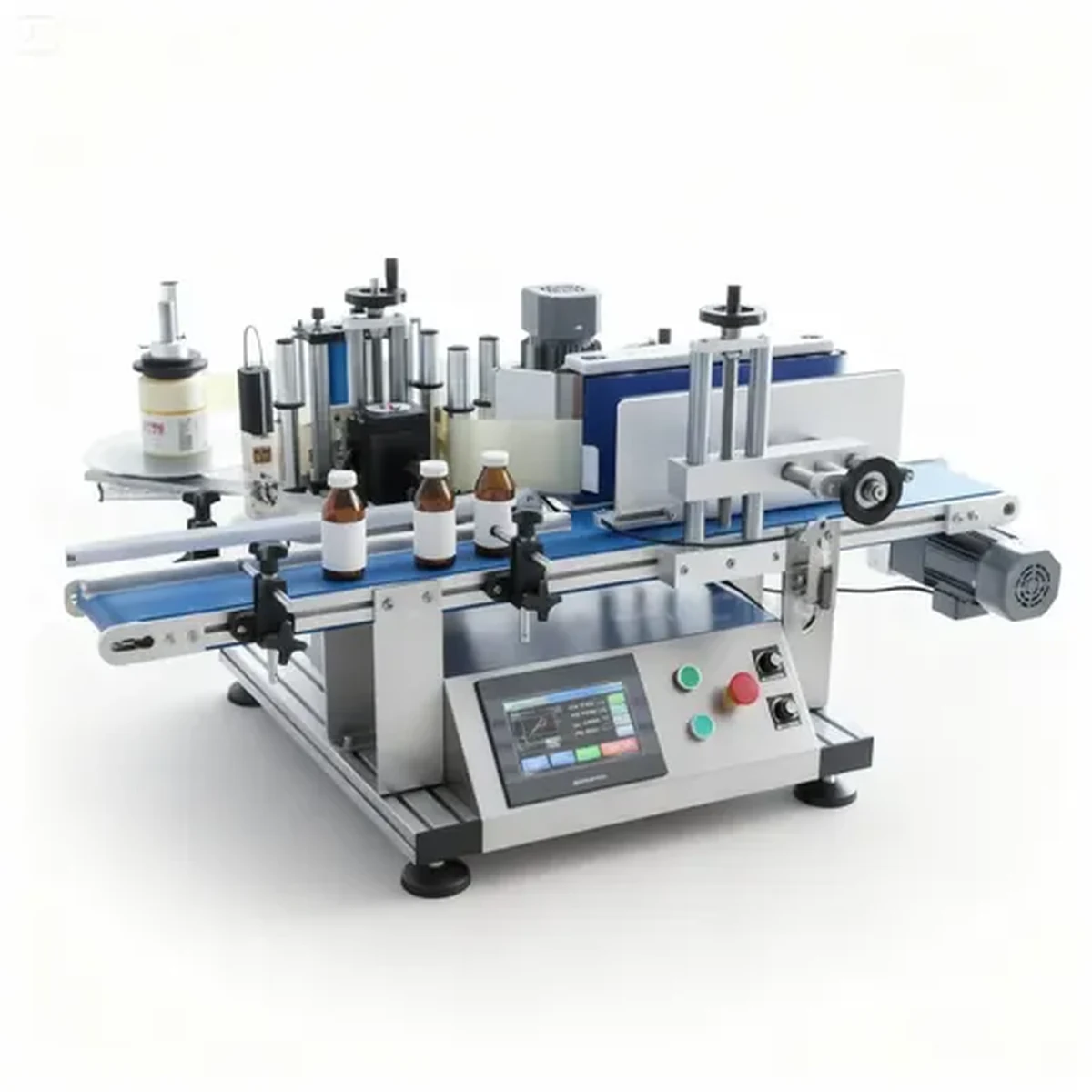
Troubleshooting guide
A good labelling result depends on a stable container, consistent label web, accurate sensor detection and correct wipe-down pressure. If labels skew, wrinkle, drift or fail to dispense, the cause can often be narrowed down by checking the same few areas in a consistent order.
Check container taper, guides, roller pressure and label presentation.
Check label length, surface shape, wipe-down pressure and material stretch.
Check sensor setup, label gap, backing contrast and product detection.
Practical comparison
| Problem | Likely checks | Action |
|---|---|---|
| Label skewing | Bottle taper, guide rails, wrap roller alignment | Re-centre guides and test several containers |
| Wrinkled label | Uneven surface, too much pressure, label length | Review label panel and roller pressure |
| Poor adhesion | Dust, moisture, residue, adhesive choice | Check container cleanliness and label spec |
| Missed dispense | Sensor cannot detect label or product | Test label sensor and product sensor |
| Label drift | Web tension or inconsistent roll | Check unwind tension and roll quality |
Specification advice
Review the actual container shape, diameter, label panel and surface finish. A label applicator works best when the pack is stable and the label area is predictable.
Confirm label material, roll direction, label gap and adhesive before ordering production labels. Clear, film or metallic labels may need extra testing.
Decide whether the operation is batch-fed, compact automatic or part of a conveyorised filling and capping line. The best machine is the one that fits the full process.
Related guidance
Use these guides to compare machine routes, confirm the label and container specification, and prepare the evidence needed for a useful quotation.
Browse selection, setup, sensing, output, integration and troubleshooting guidance for round-container labelling projects.
Compare bench, compact and automatic routes using container, label, output, changeover and integration requirements.
Collect container dimensions, label-roll data, output, coding and site details before requesting a machine quotation.
Check unwind direction, leading edge and roll presentation before ordering production labels or arranging a trial.
Measure the usable cylindrical panel and estimate label length, seam gap or overlap for a representative sample.
Separate headline cycle rate from sustainable accepted output by allowing for handling, coding, stops and changeovers.
Browse selection, setup, sensing, output, integration and troubleshooting guidance for round-container labelling projects.
Review conveyorised wraparound labelling for higher-output round-container lines and upstream or downstream integration.
Review a smaller automatic route for growing production where repeatability is needed without a full-size inline system.
Review operator-fed wraparound labelling for shorter batches, frequent changeovers and limited production space.
Compare bench, semi-automatic, compact and fully automatic wraparound labellers in one range overview.
Send the container, label, output, coding and line details needed for a practical Lancing application review.
Questions
Skew can be caused by taper, poor guiding, inconsistent container shape or incorrect pressure during wraparound.
Wrinkles can occur when the label is applied over taper, texture, shoulders or with unsuitable pressure or material.
If setup checks do not solve the issue, send photos, video, label samples and container details for review.
Technical review
This guide is maintained by Lancing's packaging machinery team. Lancing states that it has specialised in semi-automatic and fully automatic machinery for over 40 years and supports equipment across the UK, Europe and worldwide. Final recommendations are confirmed against actual containers, labels and production targets.
Last technical review: 11 July 2026 · About Lancing · Official company profile
Quick enquiry
Include container diameter, label size, material, target output and whether the label is paper, film or transparent. Lancing can recommend a suitable semi-automatic, compact or automatic configuration.
Phone: 01494 623015
Email: sales@lancinguk.com
Fault isolation
Label faults can come from the container, web, sensor, wrap contact, guide position or production flow, so uncontrolled adjustment can hide the real cause.
| Symptom | Evidence to collect | Safe first checks |
|---|---|---|
| Label height varies | Consecutive measurements, container samples and guide positions. | Check base stability, guide contact, roller alignment and whether the container walks during rotation. |
| Label skews | Top and bottom diameter, seam position and video of the full wrap. | Identify taper, uneven wrap pressure, slip or a label panel crossing a changing diameter. |
| Wrinkles or bubbles | Defect location, label material, surface condition and wrap-contact view. | Check taper, seams, contamination, label stiffness and even wipe-down. |
| Labels double-feed or stop | Sensor setting, label/liner sample, gap and slow-motion view of the peel point. | Clean the sensor, verify roll path and direction, then test the production material. |
| Seam position moves | Container rotation video, roll tension and consecutive seam measurements. | Check slip, varying diameter, label length and consistency of product presentation. |
| Code quality varies | Print samples, material, coder setting, speed and print-area position. | Check consumables, contact or distance, dwell and compatibility with the label surface. |
Before changing settings, compare the current format record with the last accepted run. Make one controlled adjustment, label a consecutive sample set and record the result. Stop and request support if the fault involves guarding, electrical equipment, damaged drive components, unsafe motion or a condition outside the operating documentation.
Send photographs, a fixed-position run video, the container and label references, machine settings, recent changes and the first point at which the fault appears. The maintenance guide covers routine prevention and the sample guide provides a placement record.
Root-cause references
A repeatable defect should be isolated by changing one controlled variable at a time.
Use the roll guide to check tracking, core, web width and roll build.
Use the compatibility guide for condensation, residue and material effects.
Use the changeover guide to compare the fault with the last approved setup.
Document the defect using the placement-quality method before making an adjustment. Escalate work outside the operator’s authorised role.
Web-path troubleshooting
Label skew and timing faults can begin before the label reaches the container.
Repeated liner breaks can be caused by material damage, excessive or changing tension, a misaligned guide, contamination, a sharp edge or poor waste-core grip. Stop safely and identify the first damaged point rather than only tightening the rewind.
Roll curvature, supply braking and label curl can change near the core, while the waste roll grows at the same time. Record the roll diameter at which the fault begins and compare another production roll before changing multiple settings.
The supply roll may be uneven, the core may be located off-centre, guides may not be square or the waste take-up may pull sideways. Trace the path from the roll holder to the rewind and observe where the movement first appears.
It can contribute by changing web tension or creating slack, but container sensing and slip may cause similar drift. Stabilise the web path first, then test the product-detection and wrap-control stages separately.